
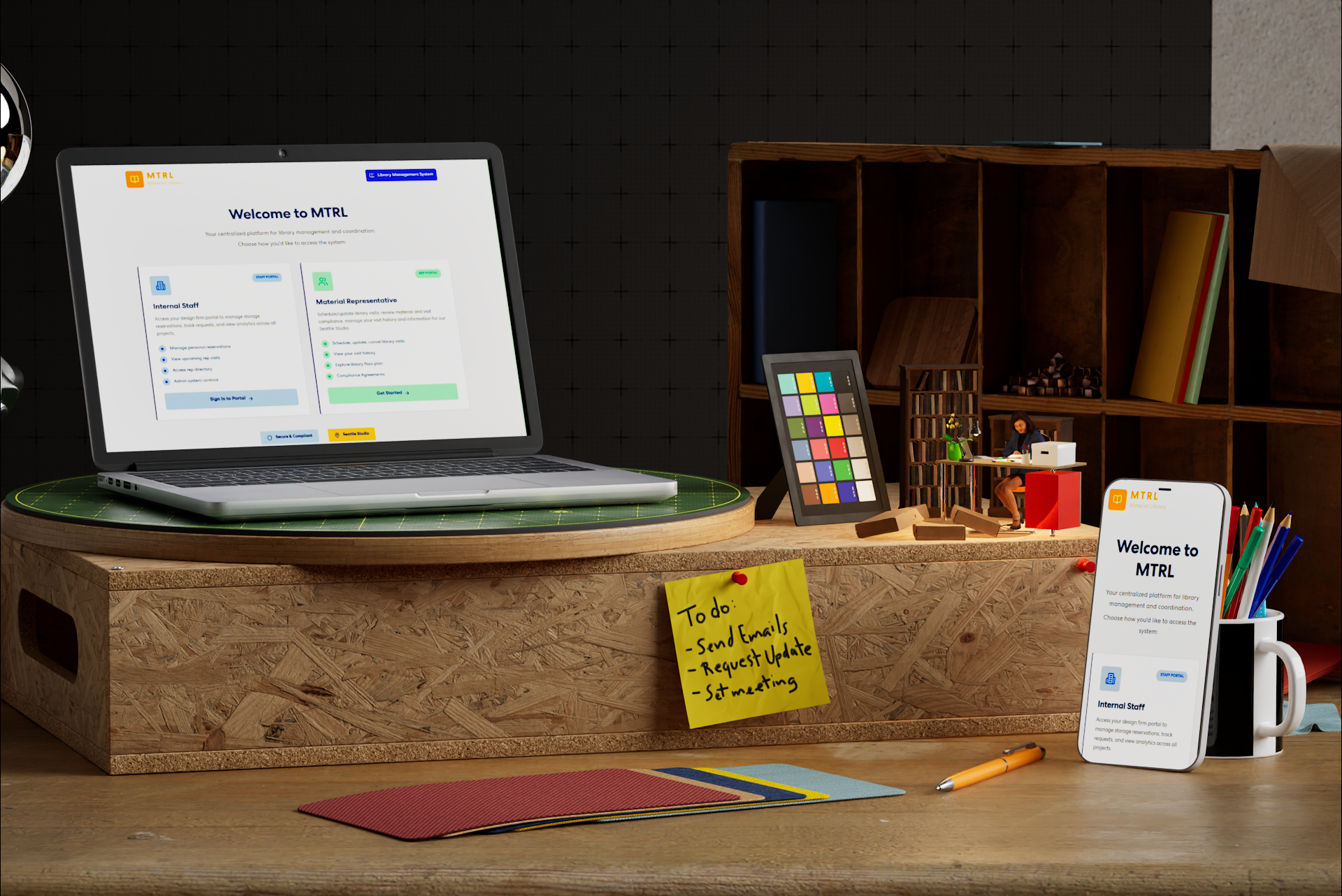

MTRL
WEB-BASED MATERIAL LIBRARY MANAGEMENT PLATFORM
completion: May 2026 (3 months)
role: UX UI Design / Brand Adaption / Interaction / Research
challenge: Designing a material library management application for a Seattle-based design studio.
client: Perkins & Will Seattle
tools: Figma (Design & Make), Claude, GitHub, Miro
completion:
role:
challenge:
client:
applications:
During the Perkins & Will Seattle Studio renovation, the relocation of the existing material library into the main studio space was a driving factor in defining the scope of our new studio’s layout, but this exposed a larger idea: what is a material library in 2026?
This research addresses the question by proposing a web-based management application that reconnects the physical material library to the modern design process through three distinct user-based portals:
Staff Portal: Information and reservation tool for Seattle studio designers and architects
Admin Portal: Management and oversight layer for all activity and information
Rep Portal: Self-service scheduling and information tool for material manufacturer representatives
January 2026 - Present (Currently in development)
UX UI Design / Brand Adaption / Interaction / Research
Designing a material library management application for a Seattle-based design studio.
Perkins & Will Seattle
Figma (Design & Make), Claude, GitHub, Miro
Introduction
MTRL - REP PORTAL USER FLOW (SCHEDULE A VISIT)
MTRL - STAFF USER FLOW (REQUEST STORAGE RESERVATION & LOG REP CONNECTION)
Stakeholders & Infrastructure
key users and physical infrastructure were defined first, establishing the context the application exists within and how it connects each part of the ecosystem.

Material Library
The spatial and tactile resource center where materials are stored, experienced, and compared.

Library Management
Oversees library organization and vendor coordination, acting as the operational link between physical resources and project teams.

Application
Serves as the central hub connecting all system entities. It enables communication, coordination, and access across users and resources.

Designer/Architect
Primary users who research, select, and apply materials to projects. They rely on efficient access to both physical samples and digital information to make informed design decisions.

Manufacturer Vendors
Provide product knowledge, introduce new materials, and supply physical samples.
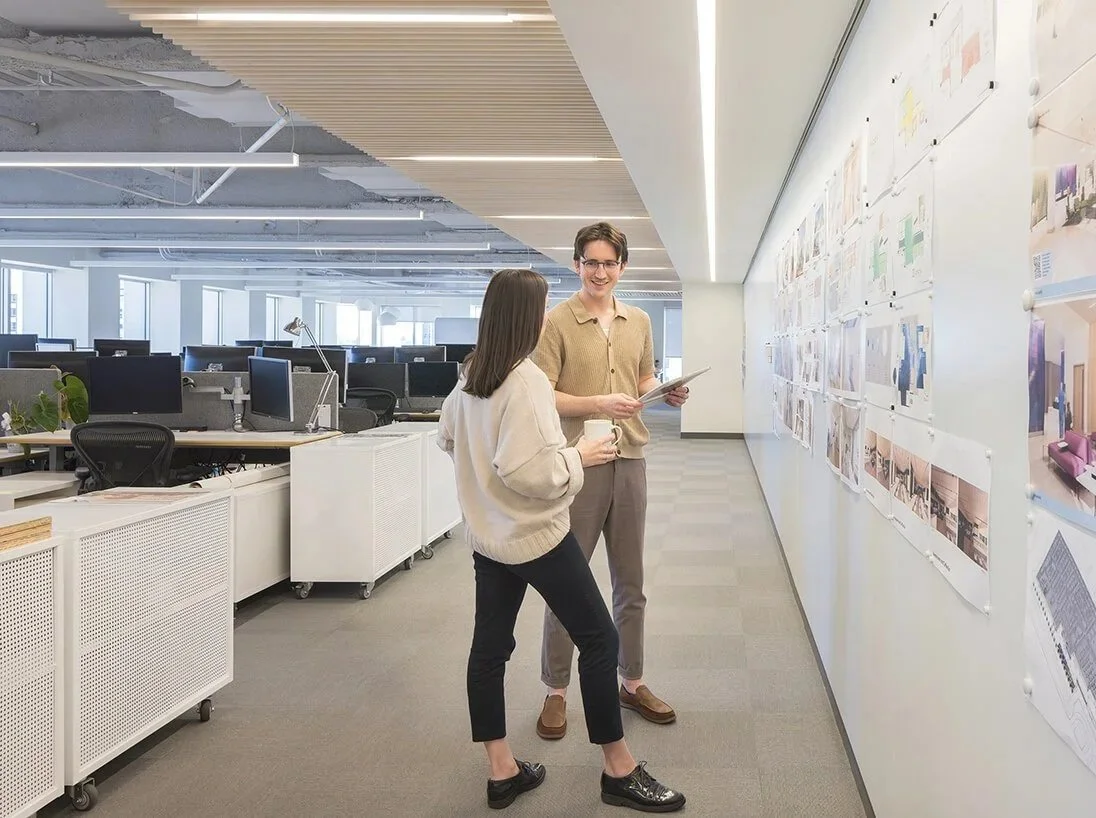
INTERNAL RESEARCH AND ITERATION ON NEW STUDIO LIBRARY NEEDS AT SEATTLE STUDIO
Research & Discovery
This project utilized internal user research in the Perkins & Will Seattle Studio, engaging different user types to understand current challenges, inefficiencies, and workflow patterns related to material discovery, coordination, and library usage.
Research Goals
To understand how designers, vendors, and staff currently interact with the material library within the Seattle studio.
Identify key workflow gaps, inefficiencies, and coordination issues between physical material use, digital workflows, and external manufacturer vendors
To understand how to apply internal research into an internal application that benefits the studio.
Research Outcomes
Defined core functional requirements for a material library management system
Identified key system needs, user roles, and workflow structures
Established primary user flows for scheduling, requests, and coordination
Clarified data and interaction frameworks to support a scalable, studio application
User Pain Points
Scattered Information
Staff, admins, and reps coordinate storage requests, visit scheduling, and material tracking through disconnected emails and manual processes with no single source.
Back & Forth
Manufacturer Vendor’s have no self-service way to schedule visits. all communication requires direct back and forth with firm staff providing unnecessary use of staff time.
External Information
Internal staff have no reliable, centralized place to look up material rep information, requiring them to rely on colleagues or dig through past emails to find vendor contacts.
Task Complexity
Simple actions like a sample pickup or a quick storage request are routed through the same heavy process as formal visits and full reservations, creating friction disproportionate to the task.
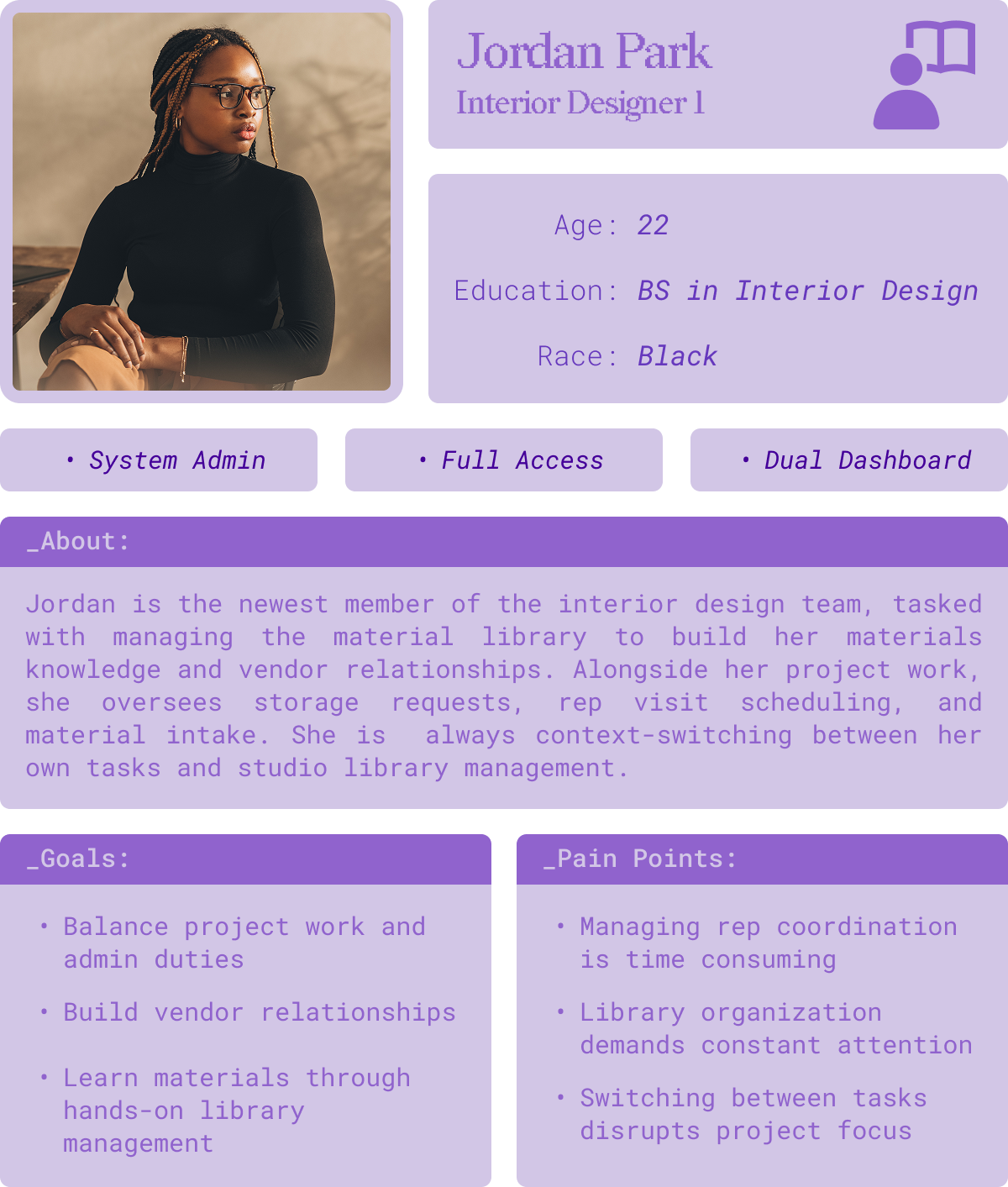
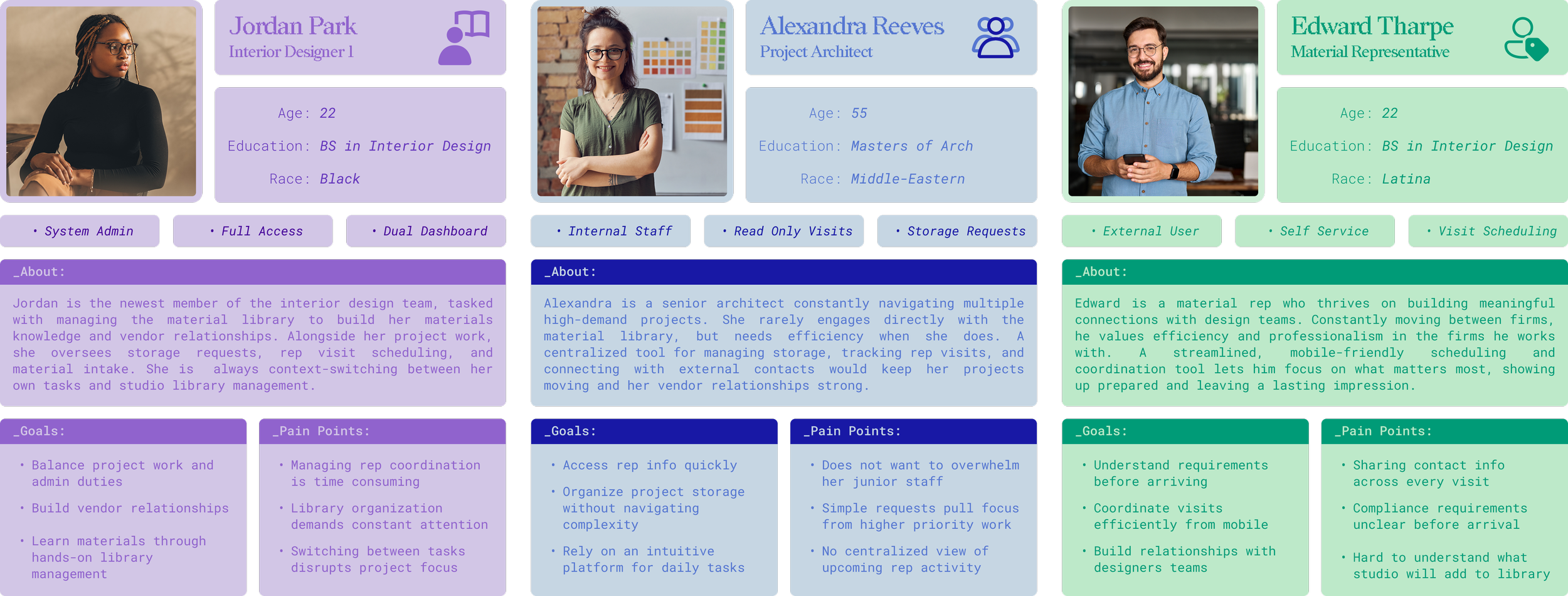
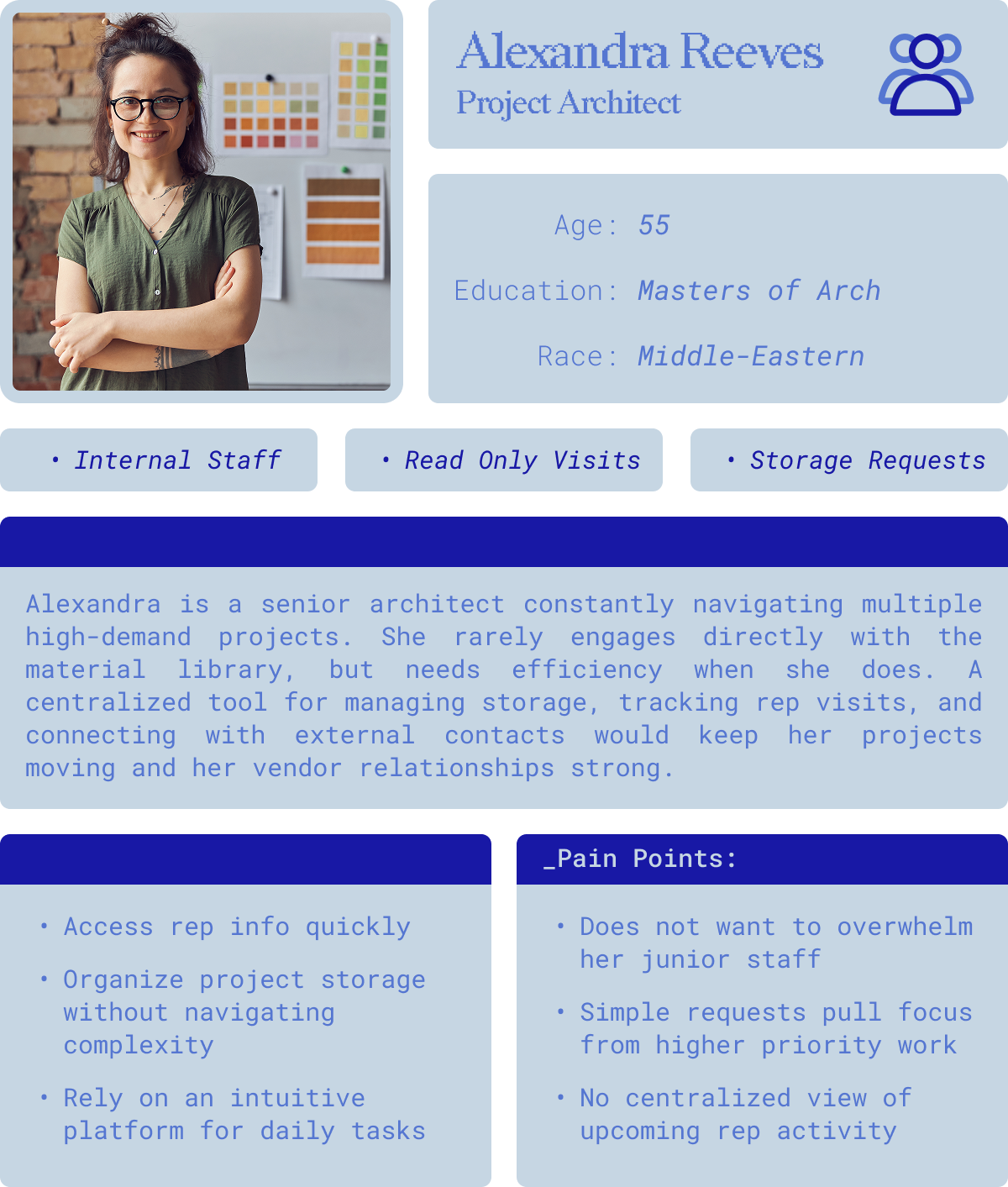
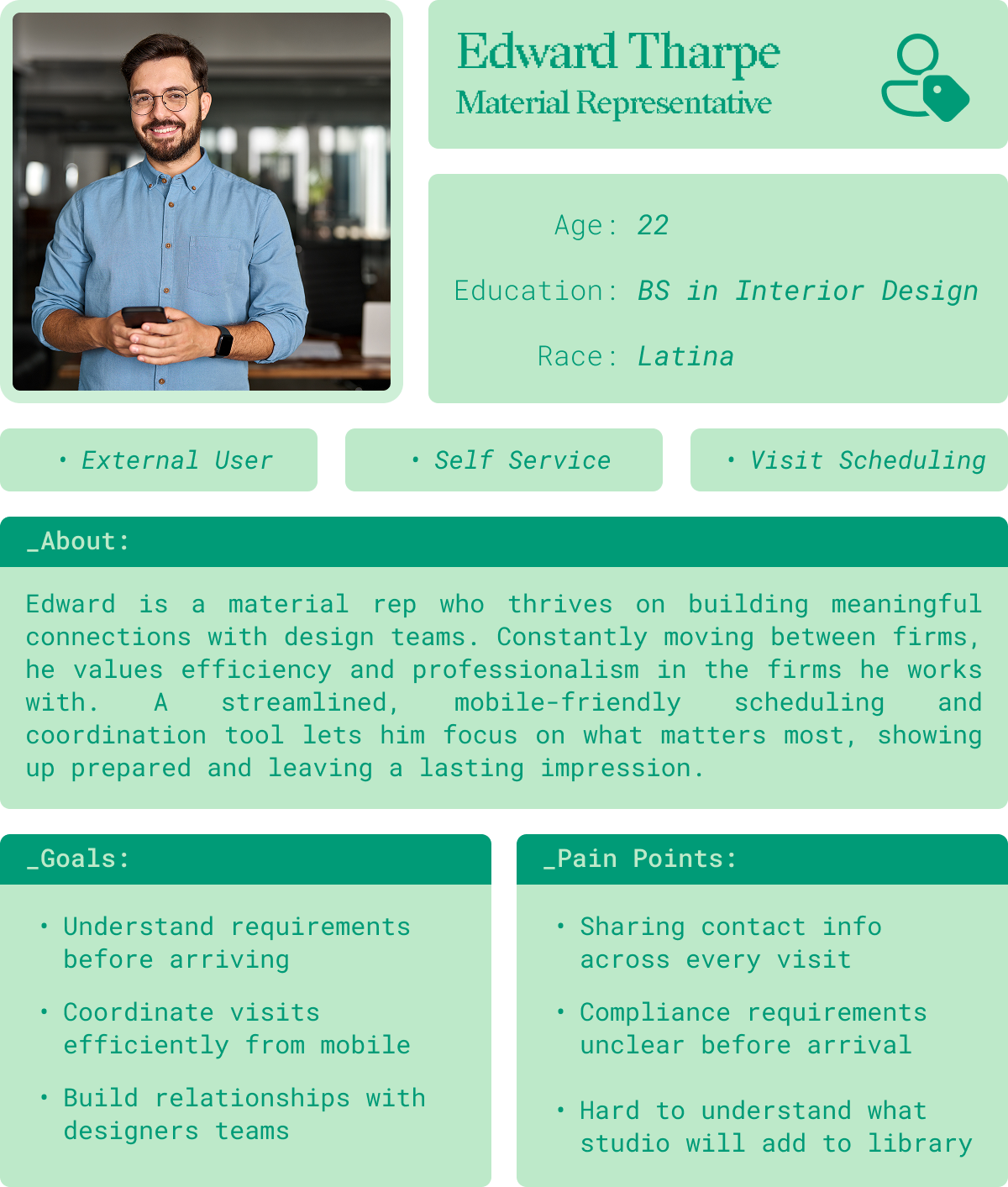
User Personas
User pain points identified through user research were synthesized into three distinct personas to represent key behavioral patterns, clarify user goals, and ground decision making context within the design process.
Information Architecture
Prior to the start of the project, an initial sitemap was generated in Miro by Perkins & Will San Diego studio as a thought starter. Utilizing this flow and the initial user research, a new sitemap was constructed to establish the overall structure and navigation of the app. This foundation then informed the user flows in conjunction with the user personas, mapping how each user moves through the application to achieve their goals.
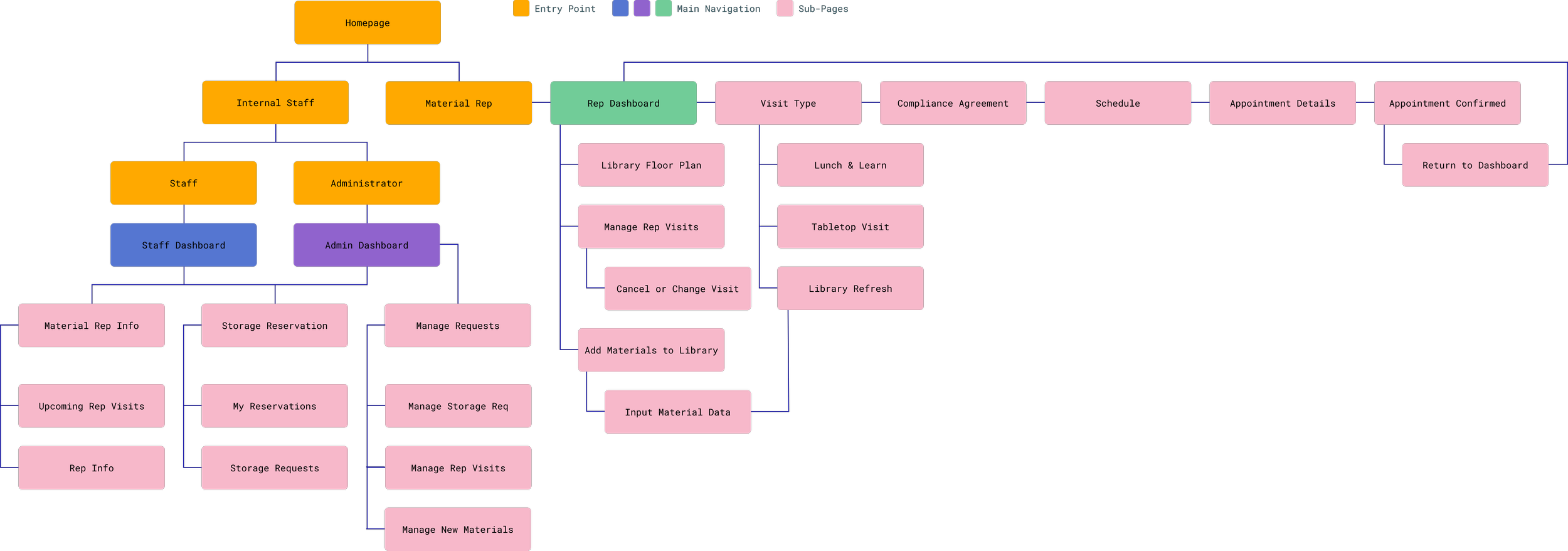
APPLICATION SITE MAP - POST USER RESEARCH ITERATION V1
User Journey - Edward Tharpe
Goal: Schedule a visit for his new product
Edward's user journey follows a clear sequential flow with built-in decision points, ensuring he can move efficiently through scheduling while retaining the flexibility to adjust his visit type or appointment without starting over.

A sitemap was constructed to establish the overall structure and navigation of the app. This foundation then informed the user flows in conjunction with the user personas, mapping how each user moves through the application to achieve their goals.
Information Architecture
Low-Fidelity Insight & Iteration
With the Perkins & Will Seattle Studio renovation actively underway, the application needed to be ready to work alongside the new material library from the start. That timeline demanded a faster design process from research to a prototype users could interact with and respond to.
Figma Make made that possible. By compiling all research, personas, flows, and system logic into a structured prompt for Claude, a functional first draft was generated quickly, then rebuilt as a low-fidelity wireframe in Figma Design for early studio feedback.
FIGMA MAKE - MATERIAL LIBRARY MANAGEMENT APPLICATION V1
Prototype to Wireframe
The Figma Make output served as a direct reference for rebuilding the interface in Figma Design. Layouts, content structure, and interaction patterns were carried forward, styling was removed to focus user feedback on functionality and flow.
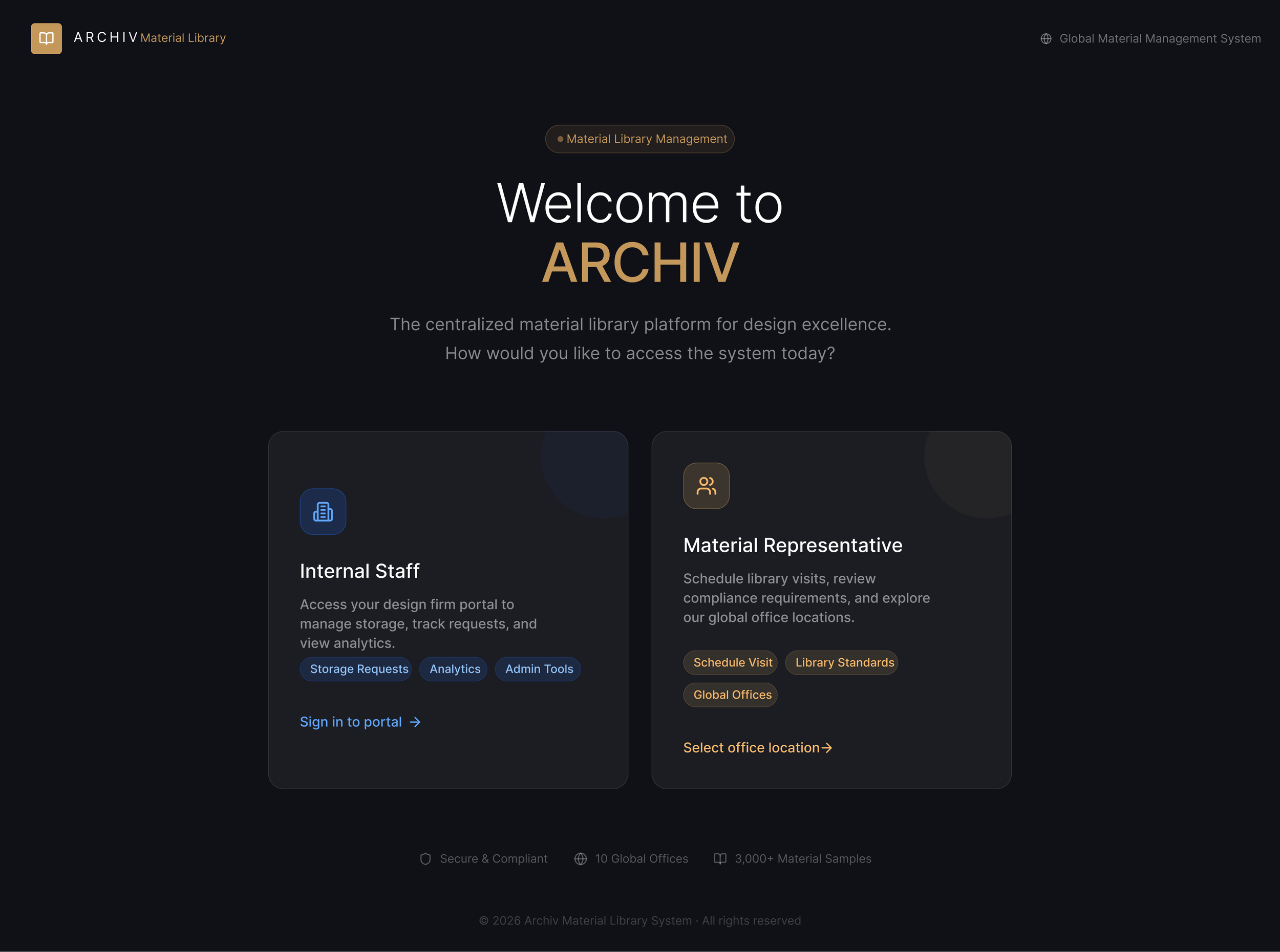
FIGMA MAKE - HOMEPAGE V1

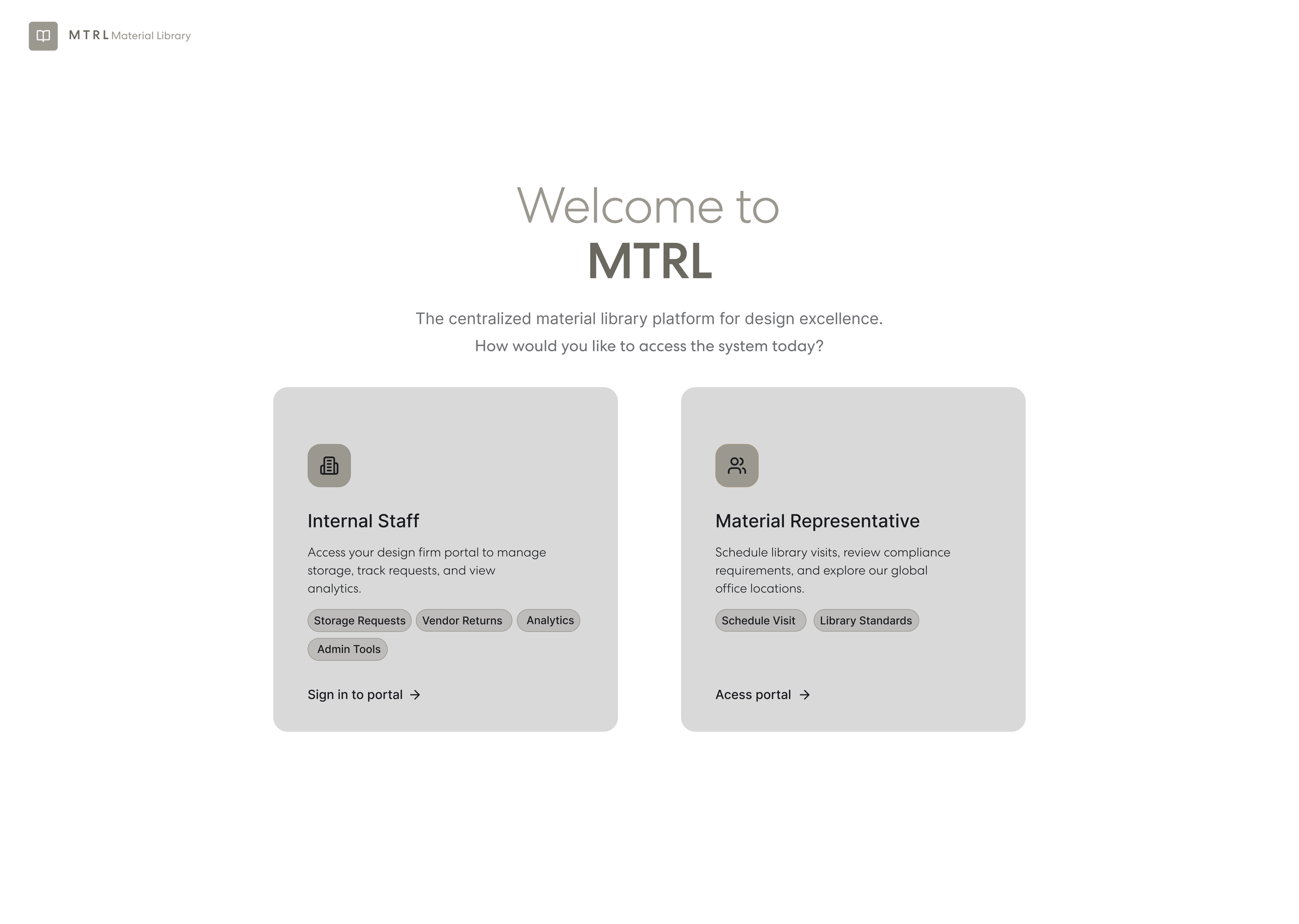

FIGMA DESIGN - LOW-FIDELITY HOMEPAGE V1
User Feedback - Miro
Low-fidelity prototype frames were organized into three distinct user flows in Miro; Staff, Admin, and External, and shared with the Seattle studio for feedback.
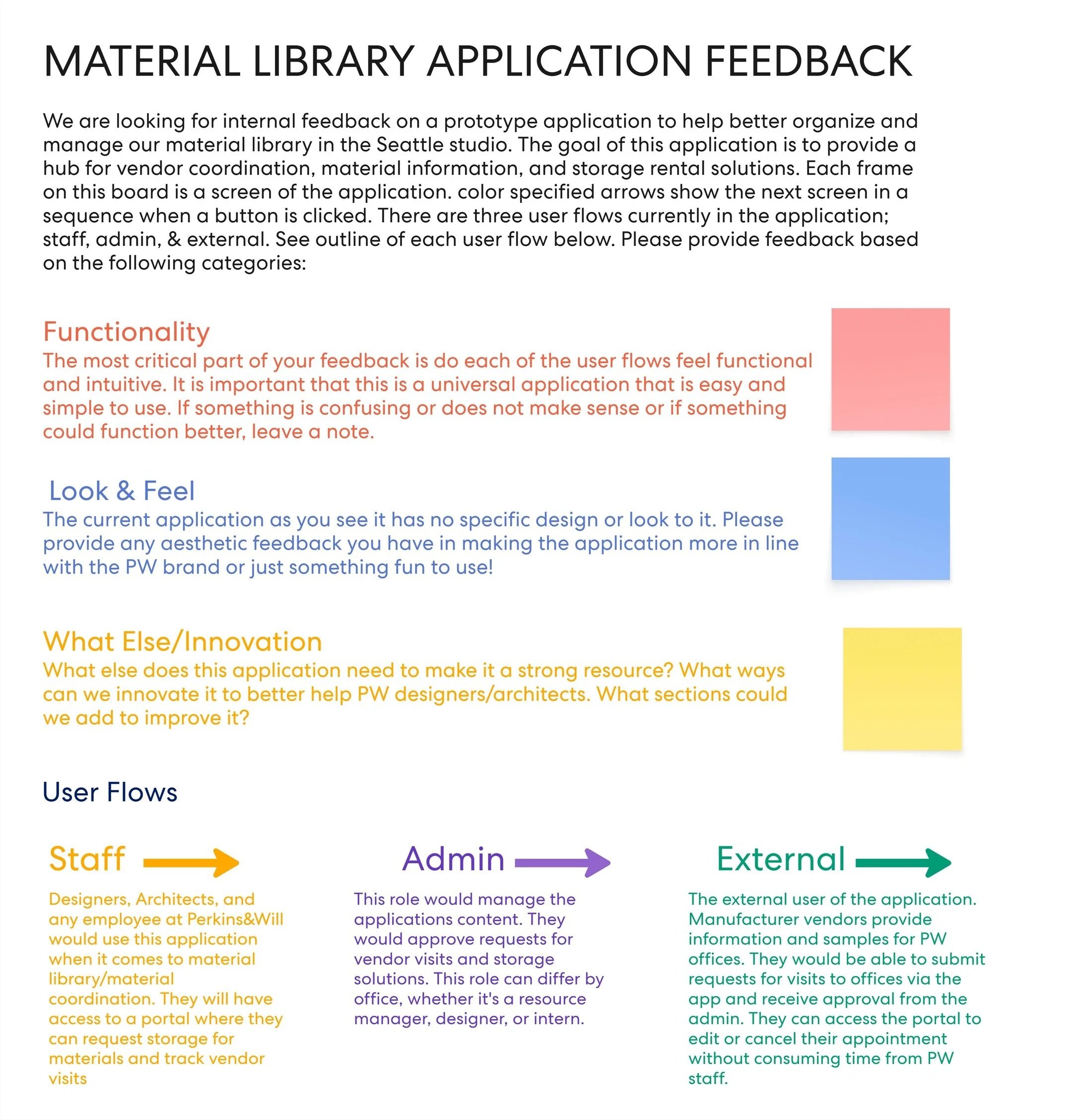
MIRO BOARD - FEEDBACK INSTRUCTIONS
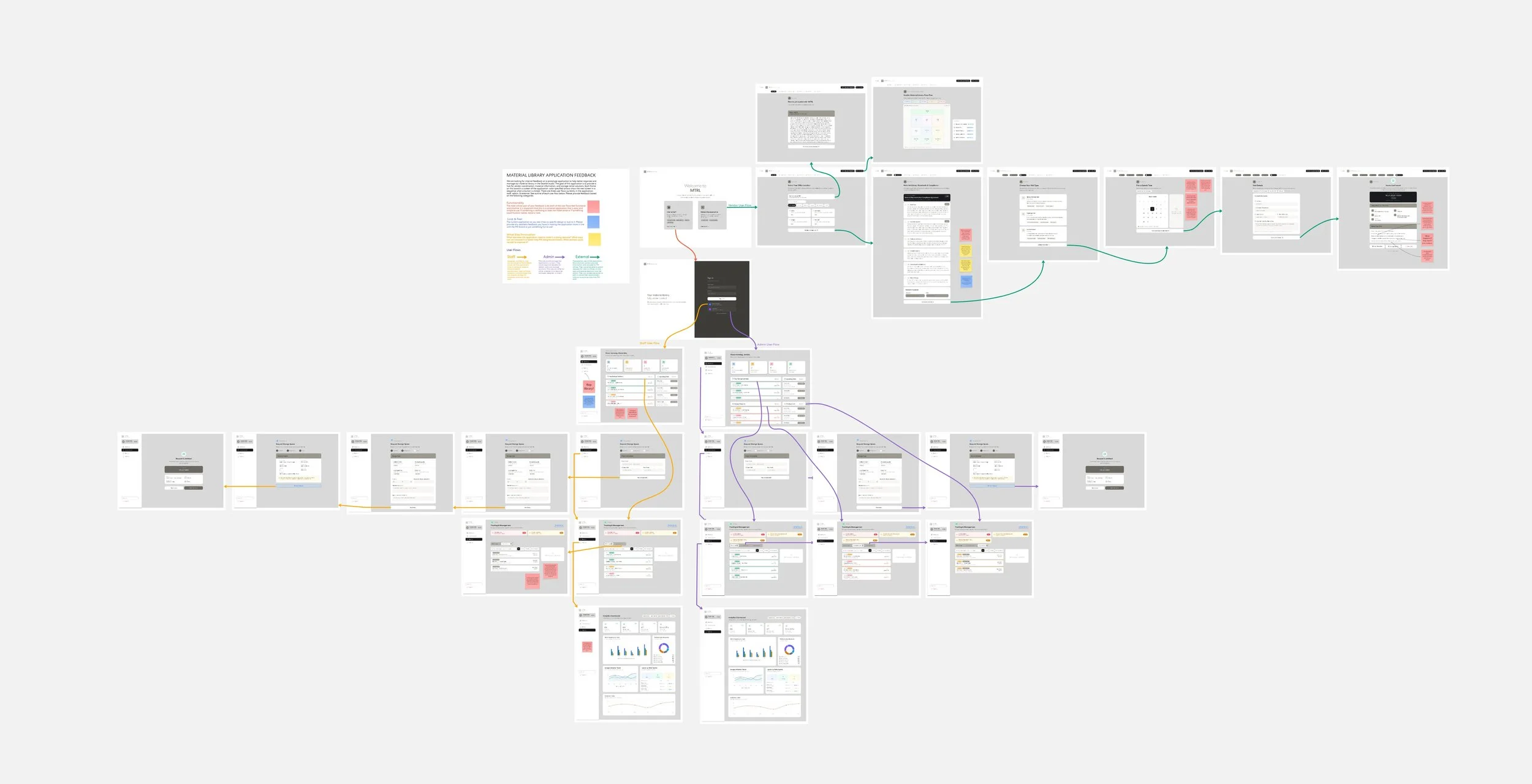
MIRO BOARD - INTERNAL LOW-FIDELITY WIREFRAME FEEDBACK
Insights & Iteration
Following the internal research session with the Seattle studio, four key insights emerged to shape the next phase of iteration.
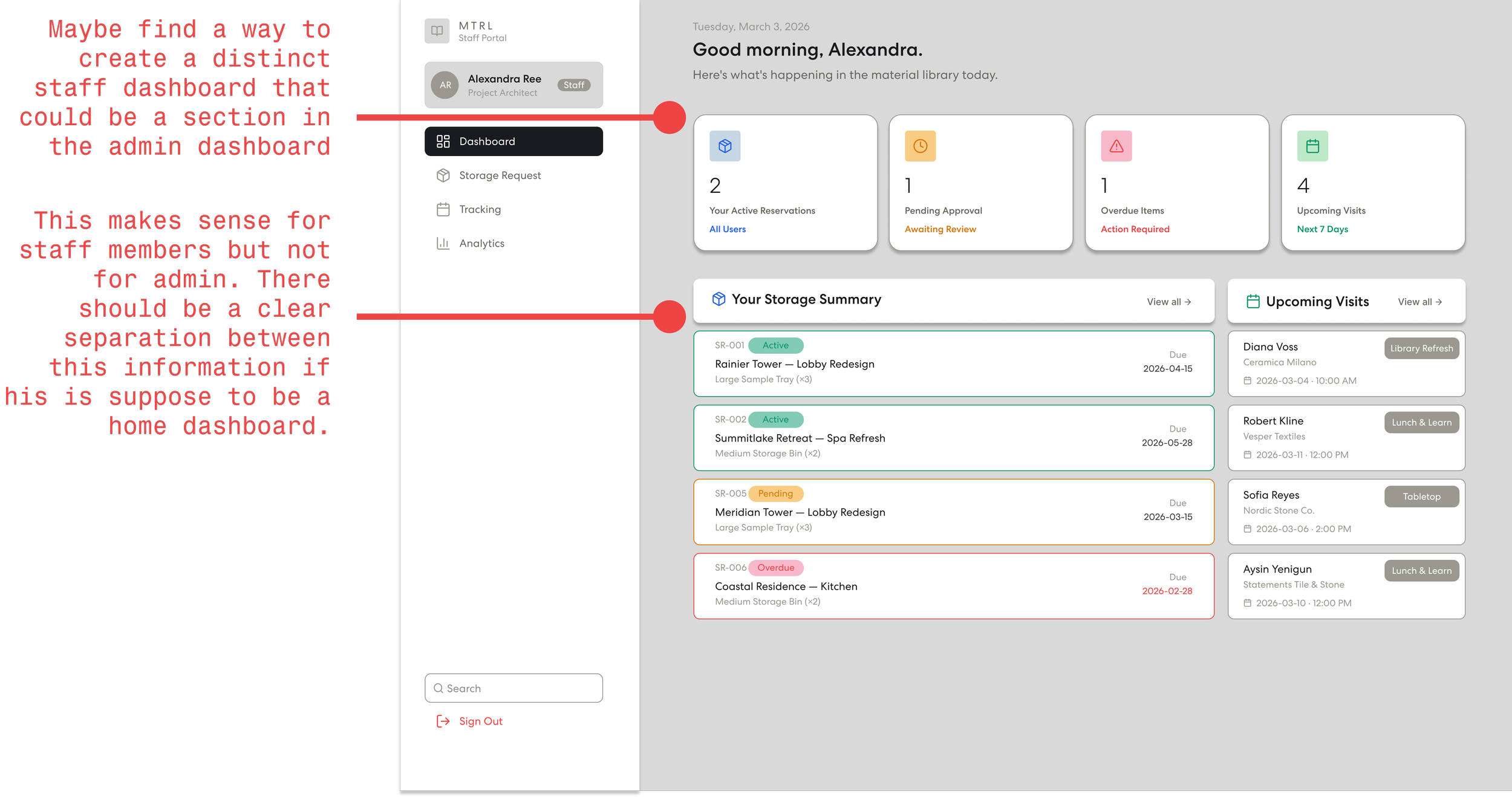
STAFF PORTAL - HOME DASHBOARD
Staff Portal Management
Admin and Staff roles were lacking clear capabilities. The Admin dashboard was too similar to the Staff dashboard.
Staff were also unable to edit their own information, creating an unnecessary dependency on Admin to make basic changes.
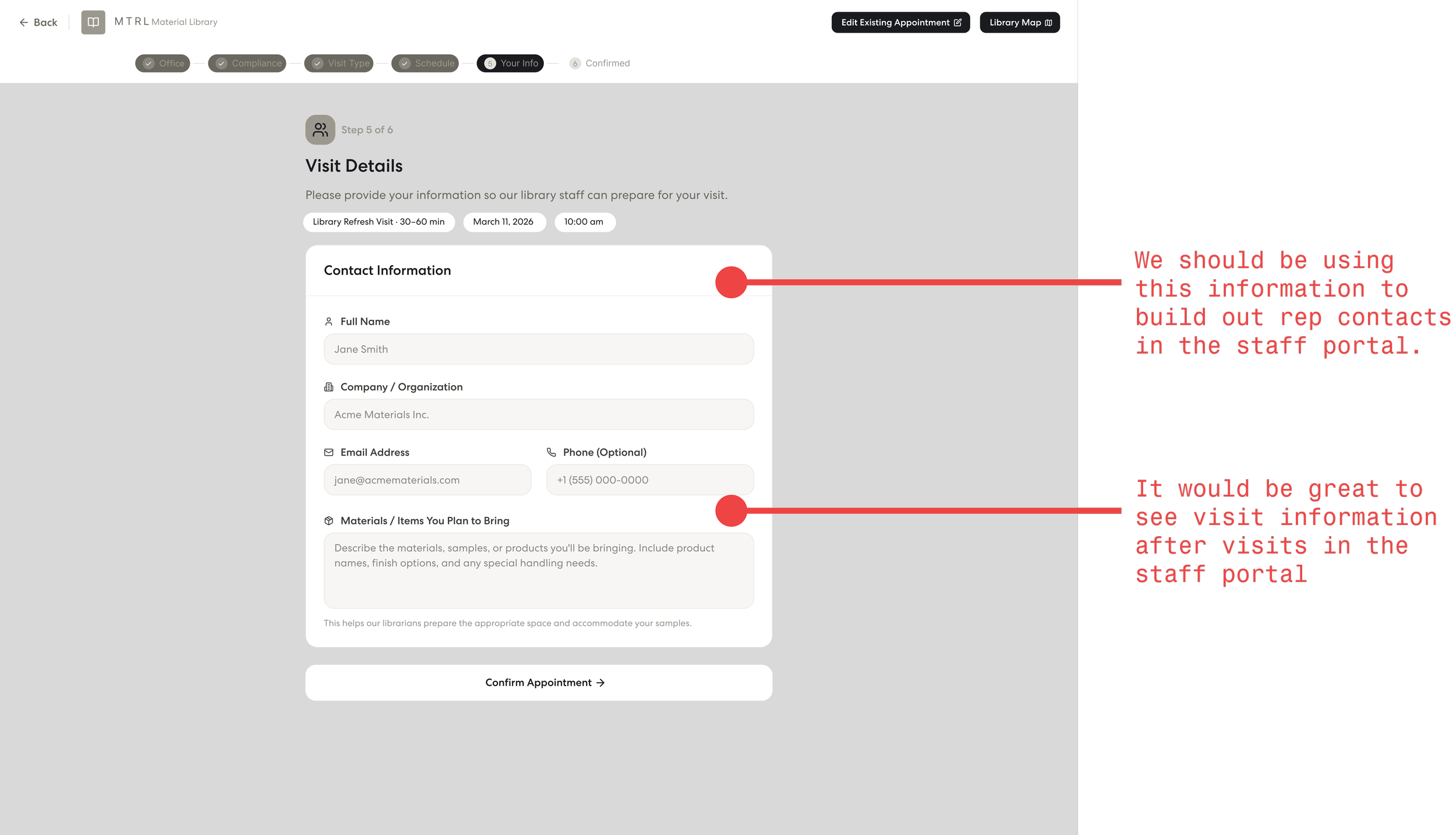
REP PORTAL - VISIT DETAILS FORM
Storing Relevant Information
The rep visit application was gathering valuable data on rep profiles, office visits, and new materials, but staff had no way to access it beyond basic visit information.
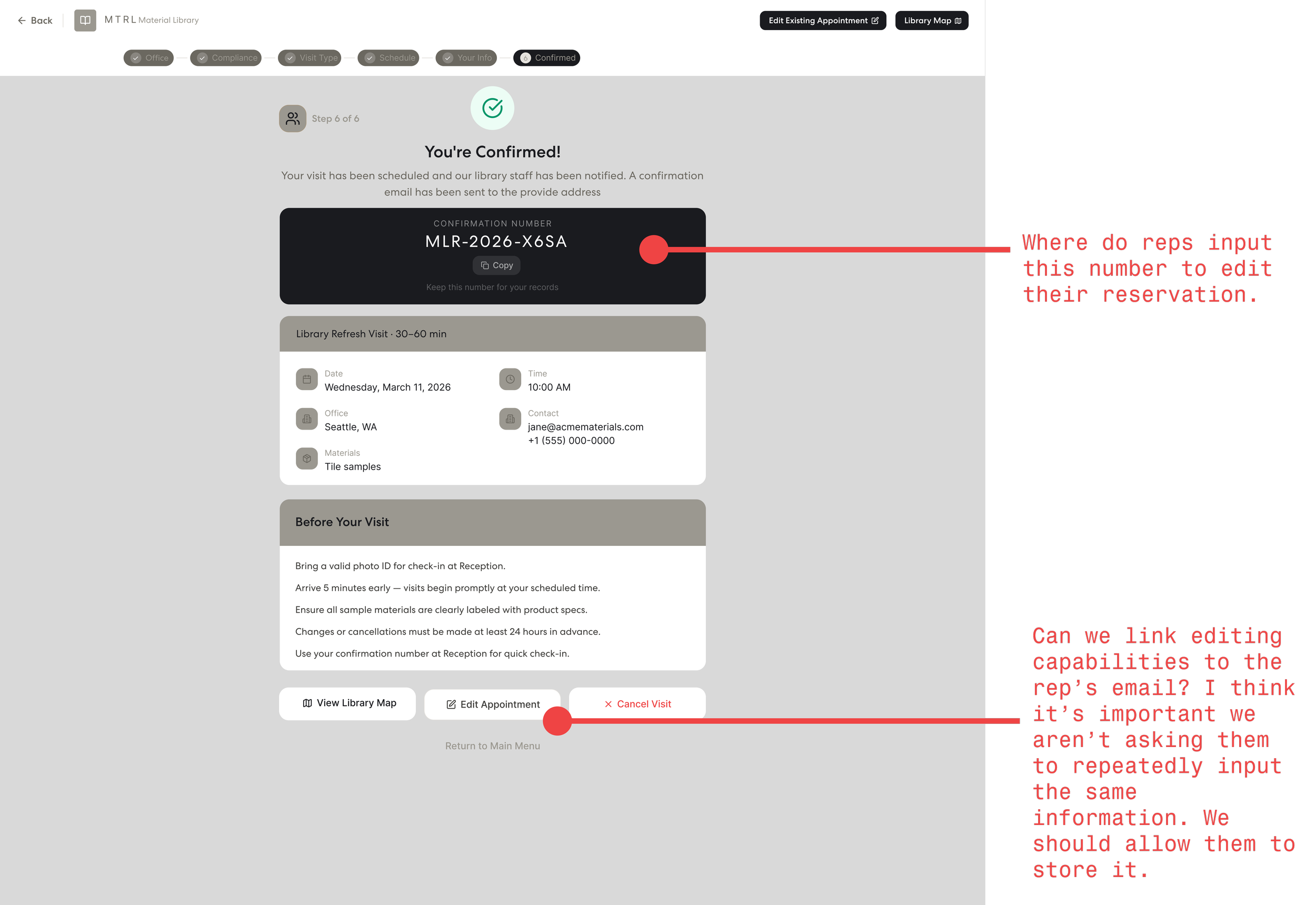
REP PORTAL - VISIT CONFIRMATION
Rep Workflow
The Material Rep workflow was limited to scheduling and lacked the ability to review or adjust visit details after submission. A more functional rep portal was needed.
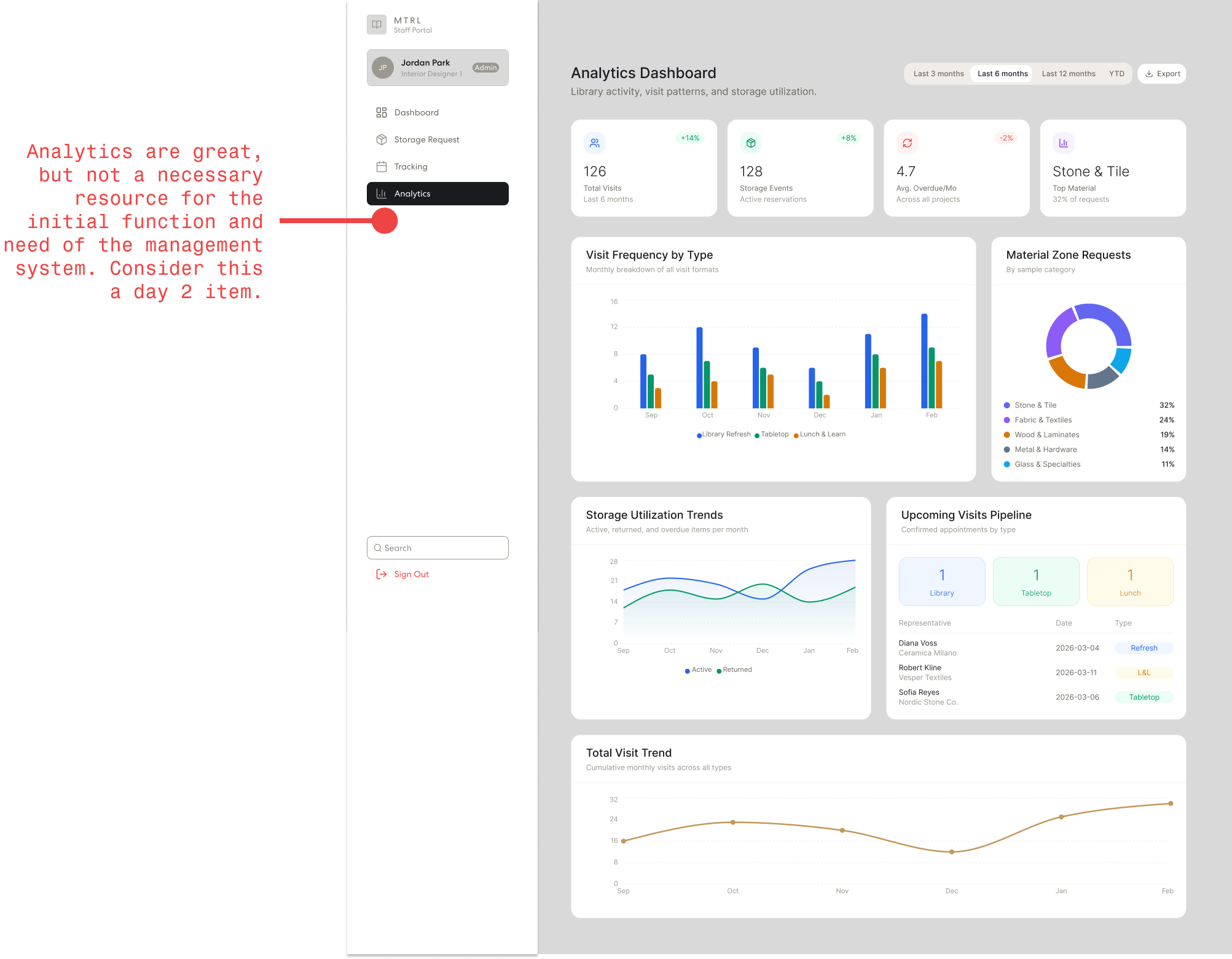
ADMIN PORTAL - ANALYTICS DASHBOARD
Future Tools
Features like office selection and analytics were identified as unnecessary for the initial version of the application.
Iteration Workflow
Iteration on the application's functionality began through Figma Make (Claude Sonnet 4.6). Frames from the Figma Make prototype were brought into Figma Design, where functionality changes were mapped out screen by screen.
Those changes were then compiled into structured prompts for Claude, directing updates to each screen and workflow within the application.
FIGMA MAKE - FIGMA DESIGN TO FIGMA MAKE WORKFLOW
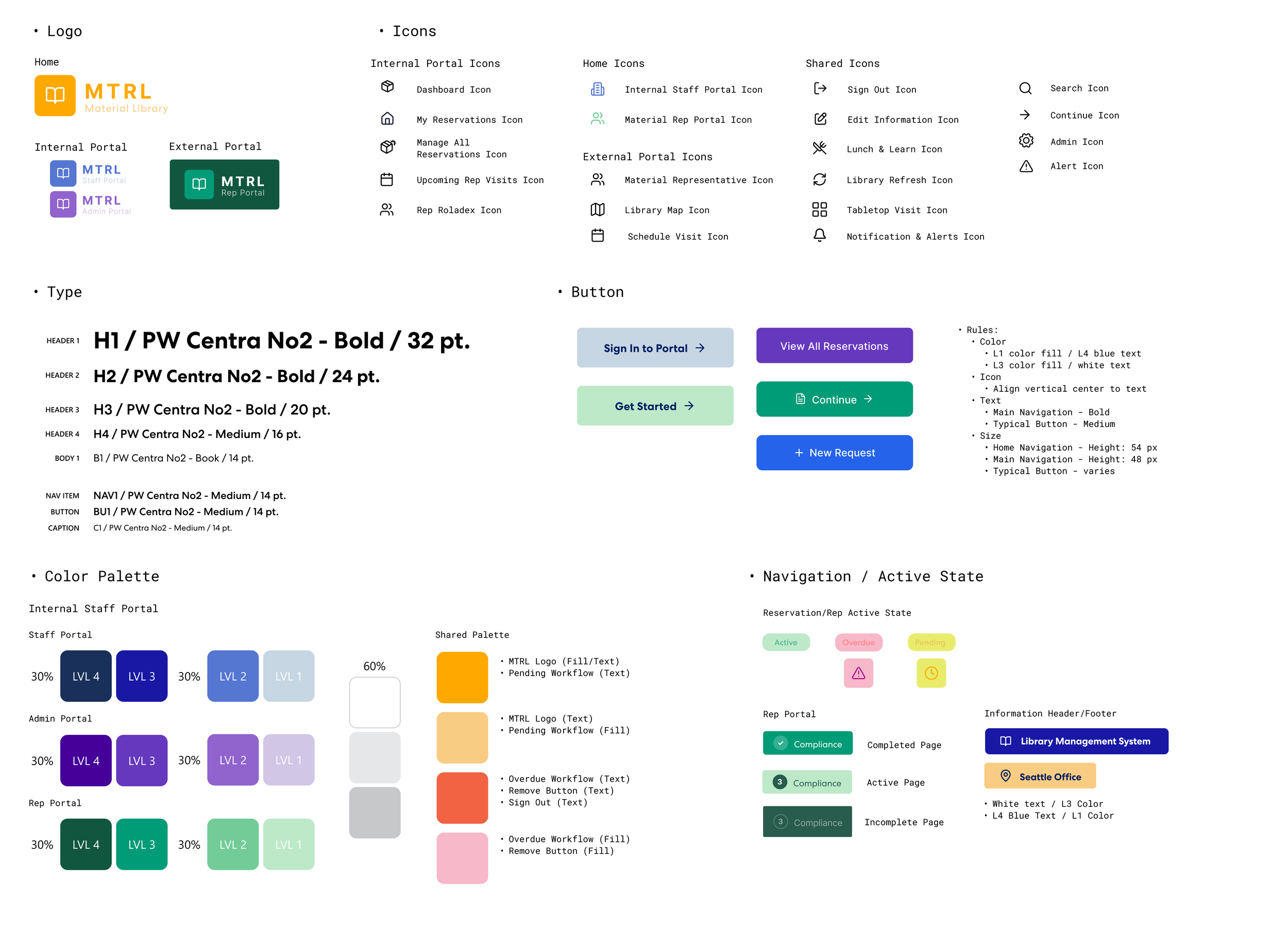
STICKER SHEET - MTRL LIBRARY MANAGEMENT
Design System
Existing Perkins & Will typography and color guidelines were used to adhere the application to brand standards.
Color
Color was applied as a wayfinding system with each portal assigned a distinct color family from the Perkins & Will brand palette, ensuring clear distinction between user portal types.
A four-level color hierarchy structured how those colors were used. Colors could be referenced as simply as "L4 blue or L1 green," making prompt-driven updates fast and consistent across the entire application.
Typography
Perkins&Will font, PW Centra No2, was used with weight and size variations carrying the full hierarchy keeping the interface grounded in the studio's existing visual language throughout.
Final Design
With the Perkins & Will brand guidelines fully integrated into the UI, the final prototype was ready in Figma Make. Each distinct portal directly addresses the needs of its user type while providing support for the others, creating a well-rounded design solution that strengthens as user interaction increases.
MTRL functions as both a management system and a living database. Every scheduled visit, stored material, and rep profile adds to a growing body of information that becomes more valuable to the studio over time, reconnecting the physical material library to the workflows of the designers, architects, and representatives who depend on it.
MTRL - REP PORTAL USER FLOW (SCHEDULE A VISIT)

Material Representative Portal
The external portal provides material reps with a digital platform to independently manage their relationship with the Seattle studio. From a central dashboard, reps can:
Schedule visits
Review upcoming appointments
Access studio information
A matrix structure was integrated to transform the portal from a one-way scheduling tool into an information resource. Reps can now utilize the portal as a hub for visit adjustment and studio information, while every interaction continues to capture data that feeds directly into the studio's internal tools.
MTRL - ADMIN USER FLOW (MANAGE RESERVATIONS, REP VISITS, & REP INFORMATION)

Internal Administrative Portal
The Admin portal serves as the management layer of the internal staff portal, giving administrators full visibility and control over all activity from a central dashboard, admins can:
Manage and approve rep profiles and visit requests
Oversee and edit all staff storage reservations
Maintain the Rep Rolodex and visit history across the studio
The Admin portal was developed in direct response to what was being built across the Staff and Rep portals. The result is a streamlined management tool that saves time and provides an efficient barrier for all information being accessed by internal staff.
MTRL - STAFF USER FLOW (REQUEST STORAGE RESERVATION & LOG REP CONNECTION)

Internal Staff Portal
The Staff portal is the central hub for Seattle studio designers and architects. Designed to integrate into a busy project workflow, the portal provides easy access to the information and tools. From a central dashboard, staff can:
Request and manage material storage bin reservations for active projects
View upcoming material representative visits and rep information
Input and maintain their own project and reservation details
Beyond reservation management, the Staff portal serves as an active input channel for the application. Information submitted by staff throughout their daily workflow is reviewed and approved, ensuring data integrity while allowing the studio as a whole to contribute to a growing resource that adds value with every use.
Mobile Integration
As a web-based application, MTRL was considered for mobile and tablet layouts throughout the design process. This was particularly important for material representatives, who are constantly moving between firms and studio visits.
The Rep Portal was designed to be accessible and functional on the devices reps are most likely to have on hand, ensuring that scheduling a visit, reviewing appointment details, or accessing studio information remains straightforward regardless of where they are.
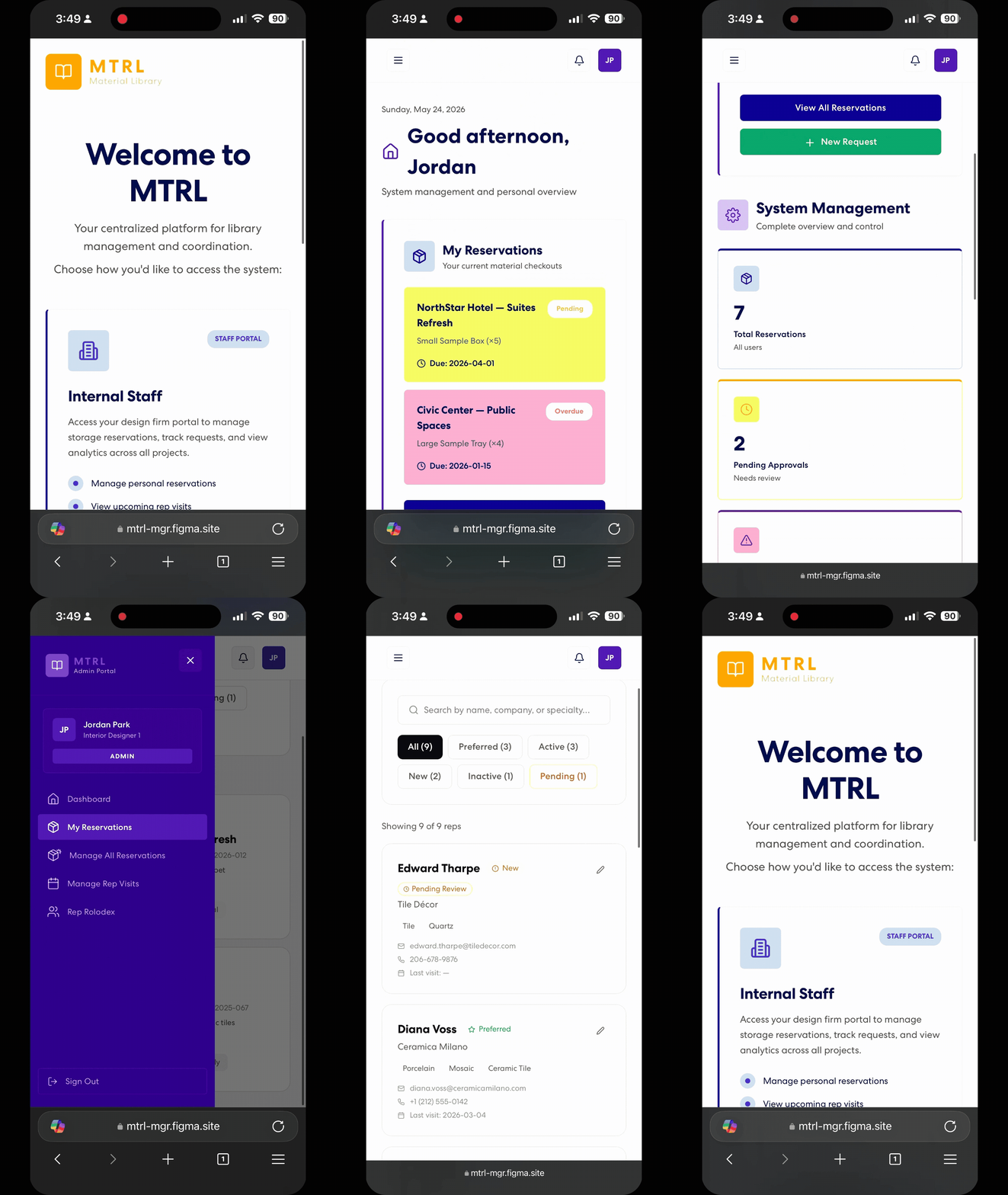
STAFF PORTAL - MOBILE
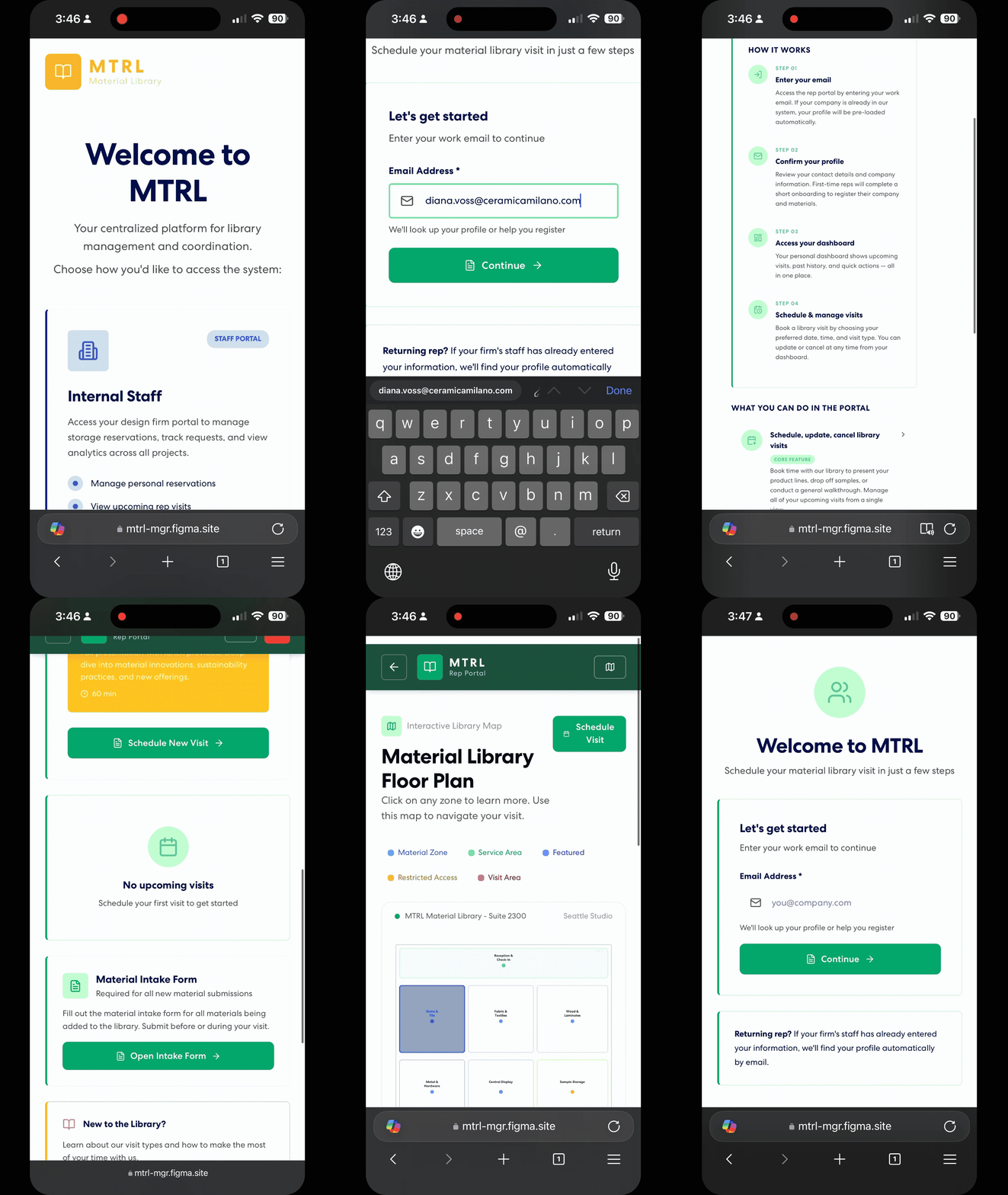
REP PORTAL - MOBILE
Next Steps
Research Grant - Awarded
The research and design work behind MTRL directly resulted in a Perkins & Will internal research grant, recognizing the broader potential of this investigation into what a material library can be in the context of the modern design workflow.
The grant will allow for a broader scope of internal research into defining the base management needs of studios across the firm, therefore strengthening the application and taking it to the next steps as a functional application across multiple studios.
Building MTRL
Now that a high-fidelity prototype has been realized, the application is being taken out of Figma Make and fully built as a working application. Backend needs have been logged throughout the iteration process to take the next steps in using Supabase.
The prototype is being developed into a production-ready platform, bringing role-based authentication, real-time data, and email automation to a system that is already designed and ready to be built.
Application Patches - Post Study
Following the development of the MTRL case study and publication of the Figma model, design elements of the model have continued to be iterated on to understand how to best collaborate with the Figma Make AI model. This list will serve as a live tracker of those changes as they are published.
Hamburger icon removal from desktop view
Addition of scroll to top function on all pages